

Settings > Company Details
Your company details are what shows on your invoices and emails.
You can see what your email and PDF invoice looks like in the branding section https://paymentlink.io/dashboard/branding/pdf-template
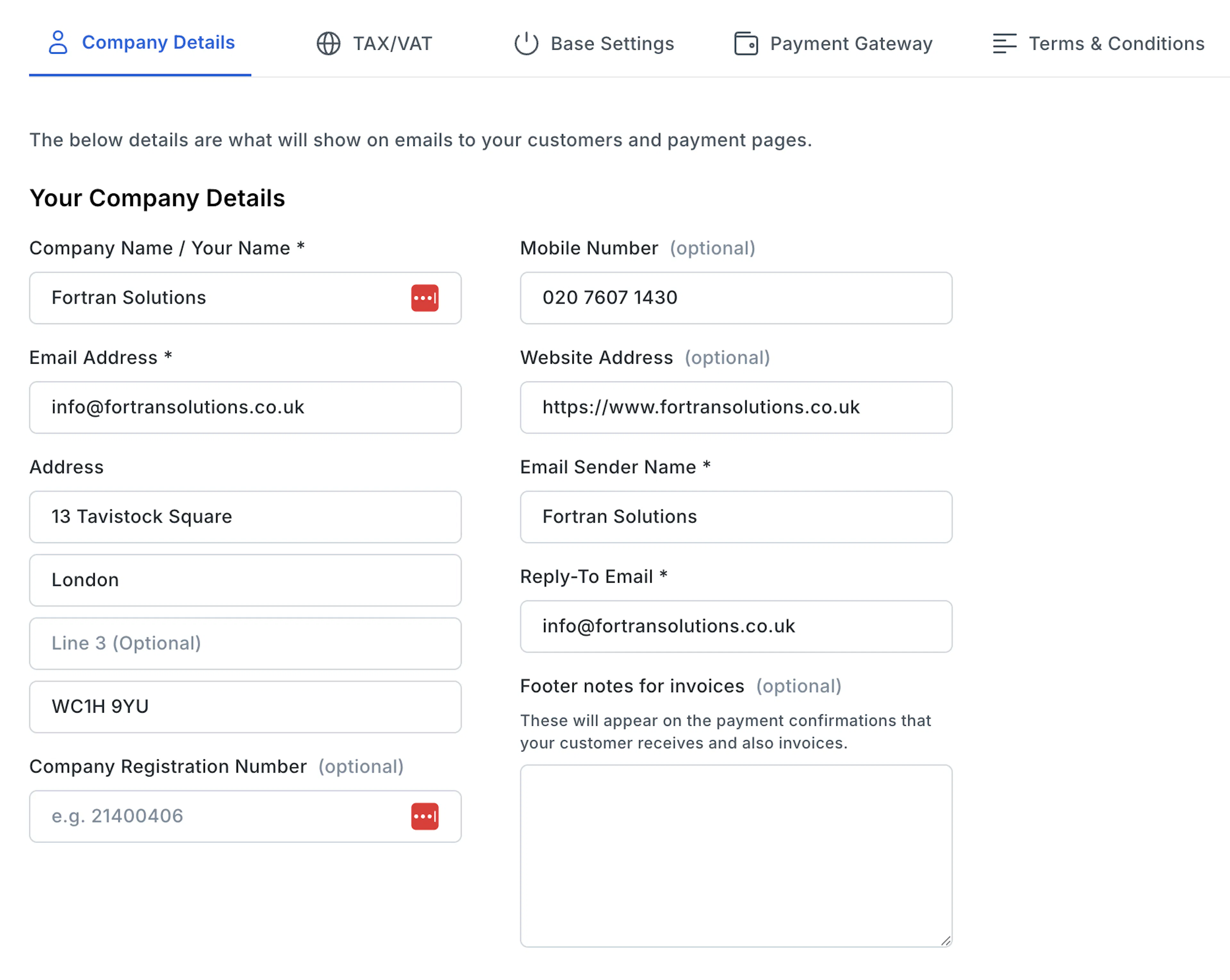
Here's notes on specific fields
Company Registration Number
In some countries it is mandatory to display your company registration number on invoices. You can add this here and it will automatically show on your PDF invoices.
Email Sender Name and reply to
When a customer receives an email with a payment request or a payment confirmation, it will come from payments@send.paymentlink.io but the display name will be your "Email Sender Name".
If a customer wants to reply to the email, it will go to the "Reply-to-Email" address you set.
Footer notes for invoices
By default if you have added your Company Registration Number and TAX/VAT registration number here paymentlink.io/dashboard/settings/tax-vat, these will automatically be shown on the footer of your PDF invoices.
When customers download your PDF invoice, you can add additional text. For example in some countries you must list your company registered address if it's not the main address you've added so information like that can go here.
The text on the footer of the invoice is small so should only be used for regulatory content and not critical messages.